Your day, already sorted.
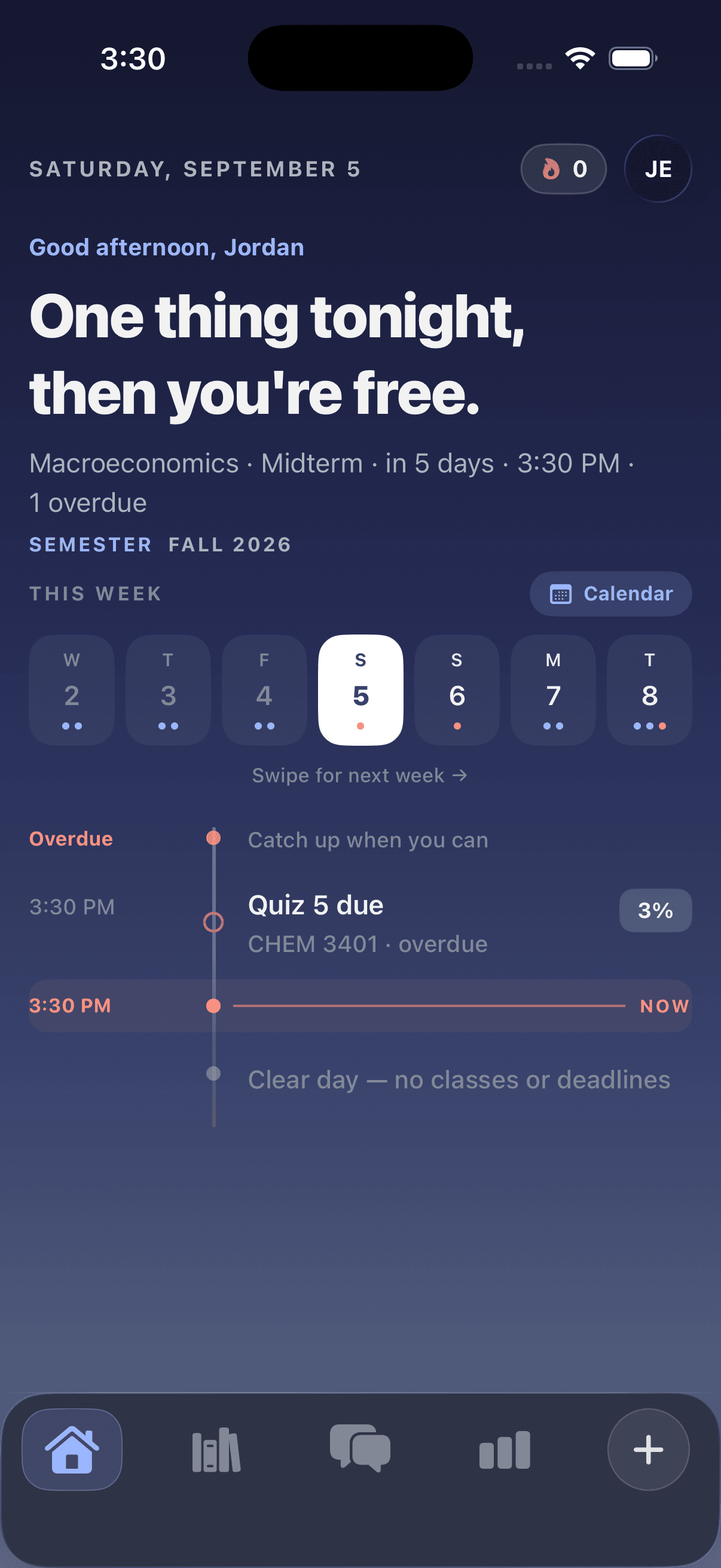
Every class and deadline from your syllabi on one timeline: what’s overdue, what’s next, and a live marker for right now.

Upload it once. CourseConnect turns five PDFs into one timeline, a tutor that knows each class, and notes from every lecture you record.
Backed by Main Street Foundry · Cohort 6
Built by a Georgia State student. Now in beta at GSU, coming to more campuses.
Why this exists
Every deadline you miss was already written down somewhere. Finding it again, every week, is the part that quietly became a second job.
Inside the app
Every class and deadline from your syllabi on one timeline: what’s overdue, what’s next, and a live marker for right now.
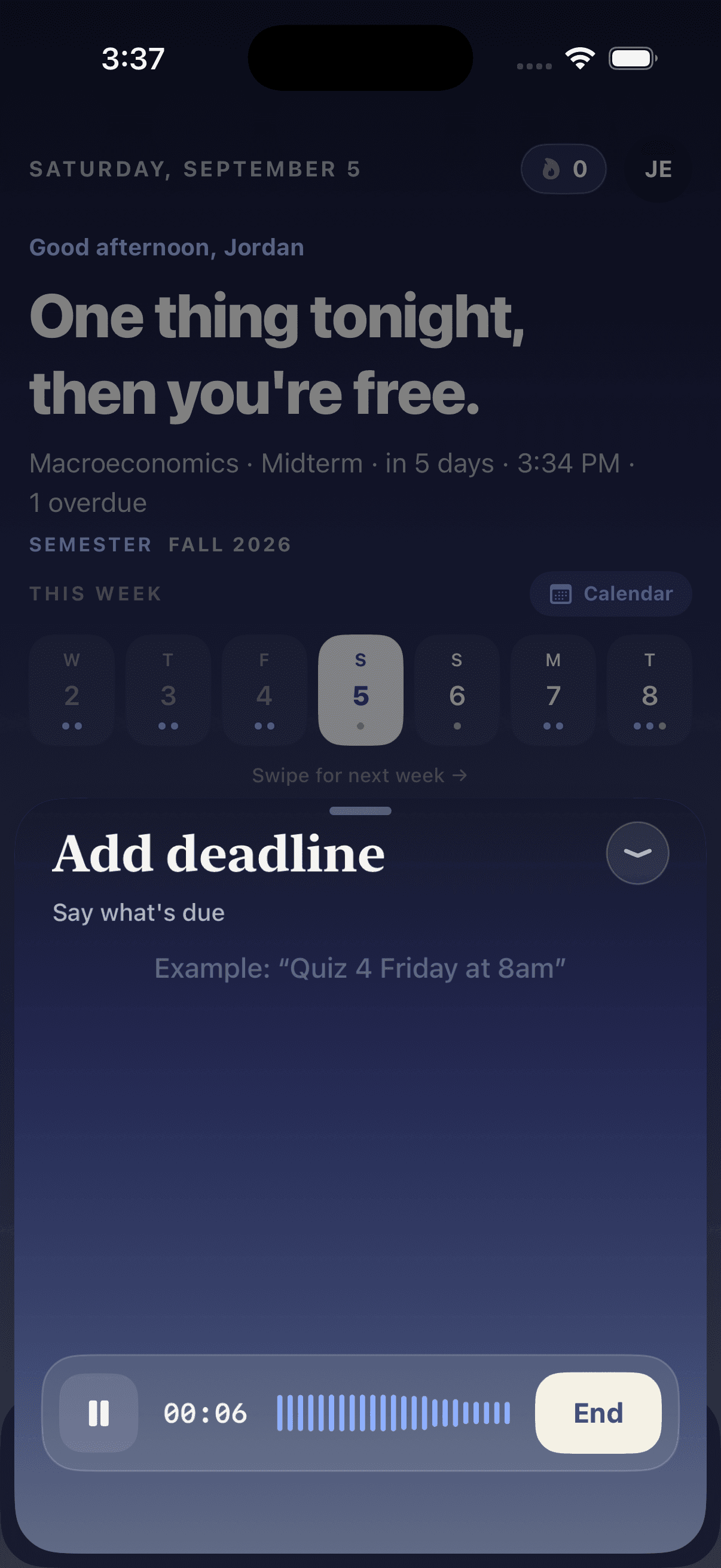
See homework posted on D2L or Canvas? Just say “Quiz 4 Friday at 8am” and it lands on the right class, day and time.
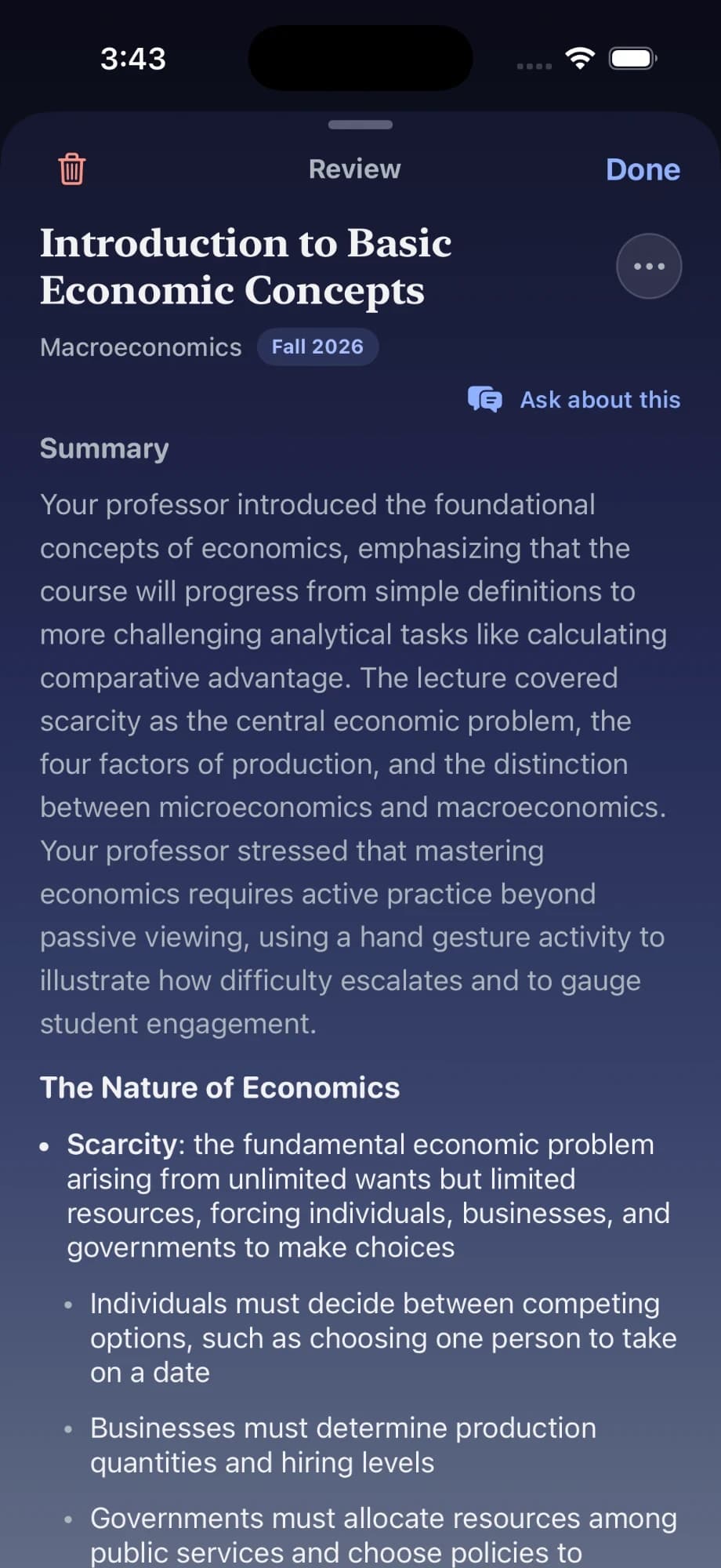
Hit record and keep listening. When class ends you get a summary, clean sections and any deadline your professor mentioned.
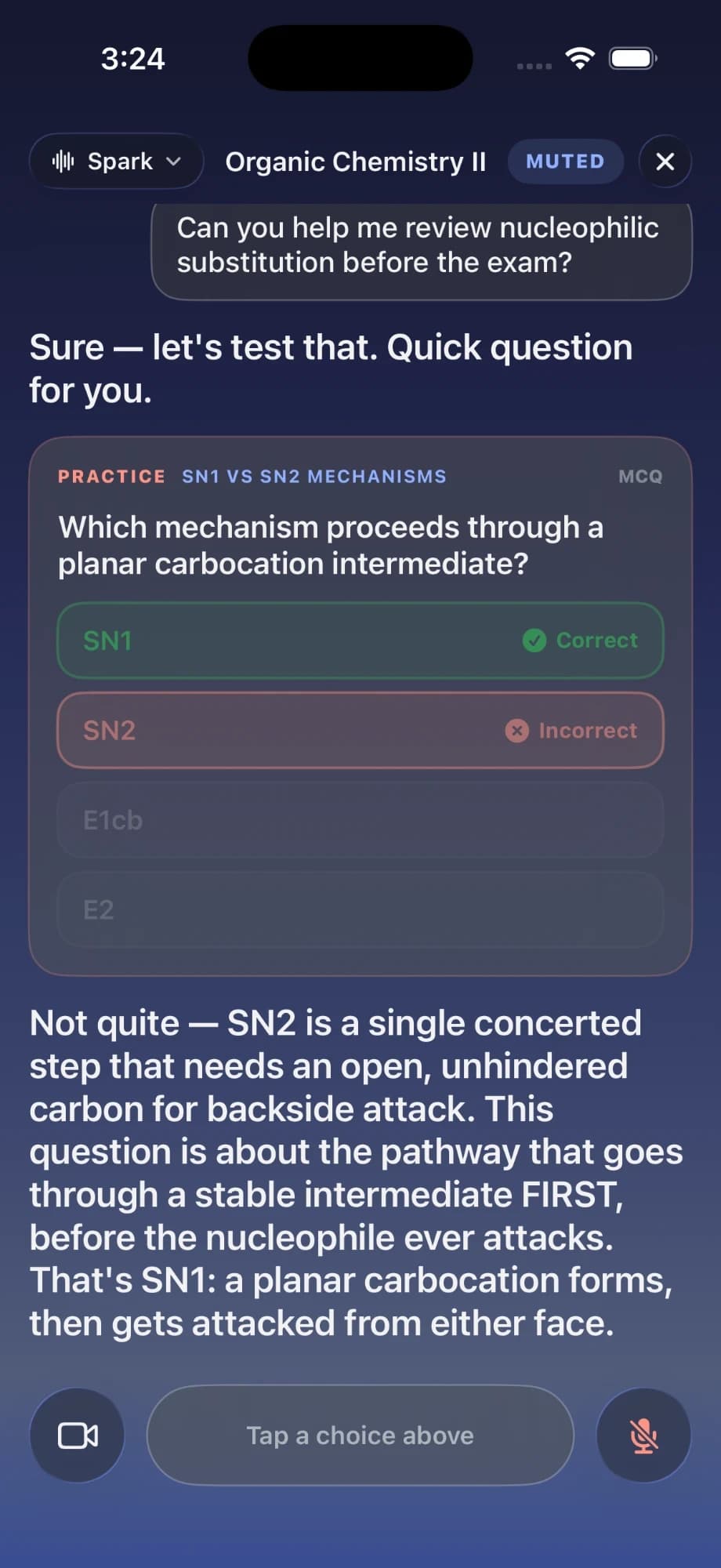
Talk it through out loud. It quizzes you on your class and explains the steps when you get one wrong.
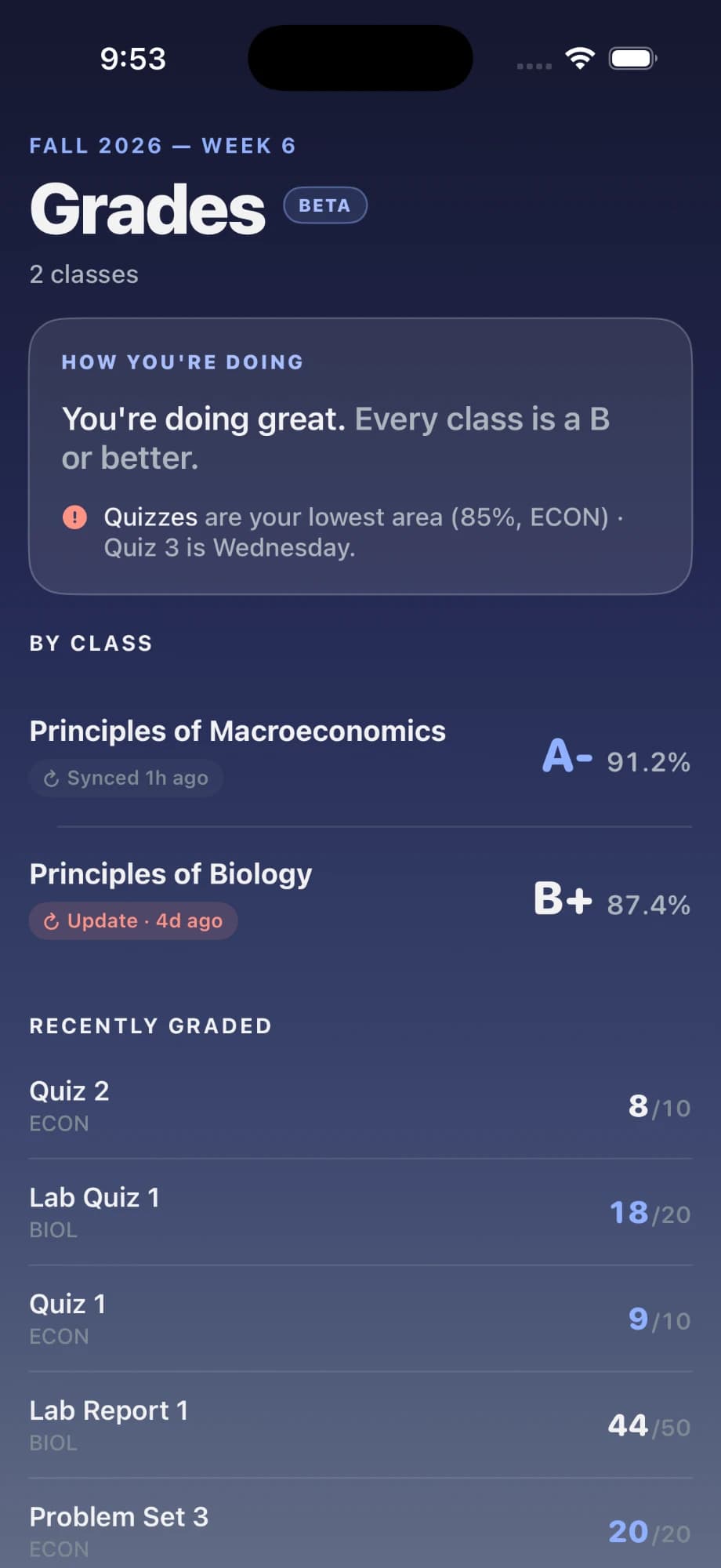
Share your D2L or Canvas grades page from Safari to see every class grade and where you’re slipping. Never your password.
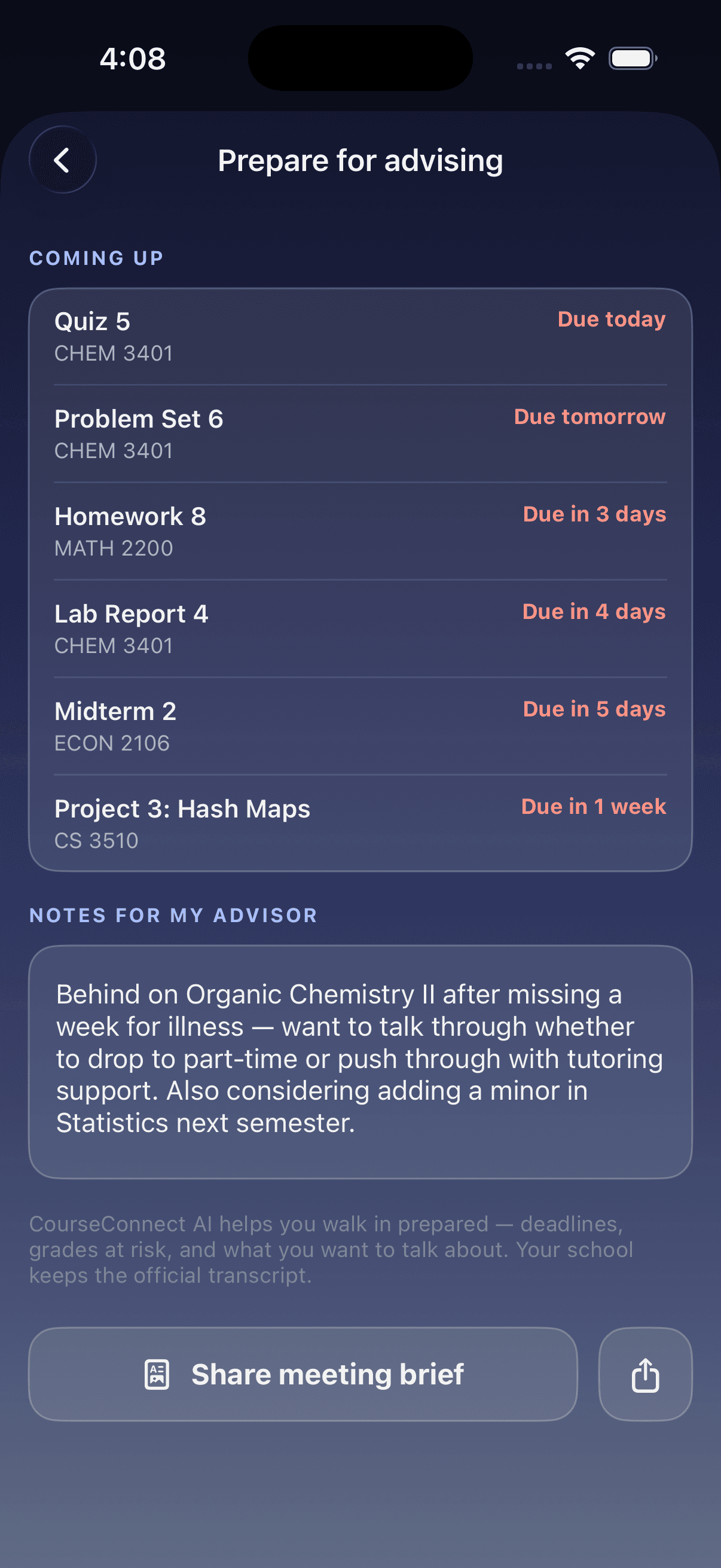
Your upcoming deadlines, grades at risk and your own notes, in one brief you can share with your advisor.
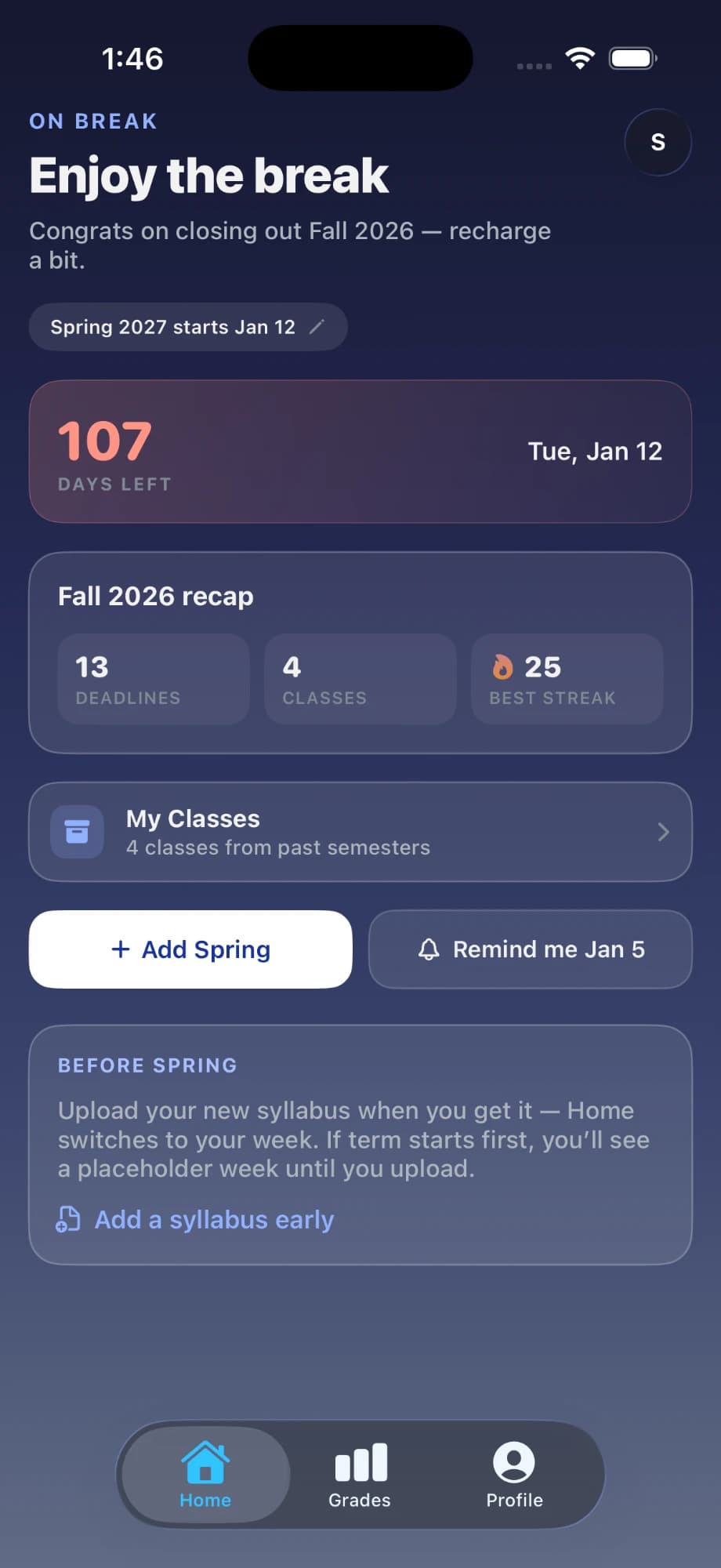
Once your last class is over, Home swaps the timeline for a recap of your semester (deadlines cleared, classes taken, your best streak) plus how many days until next semester starts, a reminder before it does, and a spot to add your new syllabus early.
In the app now
Some of the most important changes in a semester are only ever said out loud, never posted to your LMS. Record the lecture. When class ends, you get your notes plus every deadline your professor mentioned, with the exact sentence they said and one tap to add it.
Join the iOS betaThursday, October 9
In class now
One thing tonight,
then you’re free.
Psychology · Exam 2 · in 7 days · 2:14 PM
This week
Lecture note
Write notes here…
Everything you type is saved
Hit record and keep listening. It captures the whole class in the background (lock your phone if you want, a timer stays on the lock screen so you know it is still going) then hands back a summary, the key concepts, and clean sections you can actually revise from.
A spoken study session that asks as much as it answers. It quizzes you, works through examples a step at a time, and can look at whatever you point the camera at: a problem set, a diagram, your own handwriting.
Open your D2L or Canvas grades page in Safari and share it across. Every assignment comes across with your score and how each class is trending, no screenshots, no retyping, and never your school password.
Study streak, next deadline and a week glance on the lock screen. Due soon, class standing and a full day glance on the home screen. The answer to “what is due?” without unlocking anything.
Add your deadlines to Apple Calendar in one tap, and they stay updated as your syllabi change. On Google Calendar, connect your account for a separate CourseConnect calendar you can sync anytime.
Drop in a PDF or Word file and every assignment, exam, grading weight and late policy lands in one place, including the ones buried on page four that quietly decide your grade.
One tap turns your grades and upcoming work into a PDF brief, along with the classes actually worth raising, so you walk into the meeting with something to point at.
Send any lecture note as a link. It opens right in the browser, so classmates without the app can read it, copy it or print it.
English, Español, Français and العربية today, across the entire interface and the AI replies, not just the menu labels. More languages are being added gradually.
Free during the TestFlight betaiPhone
Why I built it
“By midterms, a class I’d been excited about had fallen apart. Our professor was stuck overseas, the room was half empty, and there was no way to catch up. I built CourseConnect so no one has to be in a course alone.”
Adam Osman · Founder, Georgia State student
Read the full storyFAQ
Still wondering about something? Ask me directly. I read every message.
A study app built around the classes you’re actually taking. Upload each syllabus once and it pulls out every deadline, grading weight and policy. Your timeline, your class tutor and your lecture notes all answer from those real courses, not from the internet in general.
A general chatbot can explain a concept, but it has never seen your syllabus. It doesn’t know what’s due Friday or what your midterm is worth, and it will answer confidently anyway. CourseConnect answers from your actual course and tells you what it’s drawing on.
It reads the whole thing, not just the dates: assignments, exams, what each one is worth, the late policy, office hours. A few seconds later your semester is laid out in order. Syllabi are formatted in strange ways, so anything it gets wrong you can fix, and the rest of the semester runs on your version.
Only if you want to. Hit record and keep listening. It keeps going with your phone locked. Anything you do type is saved and shows up at the top of your lecture notes, right above the summary, key concepts and clean sections it writes when class ends.
That’s a big reason it records. If your professor moves a due date, announces a quiz or restates an exam date, it shows up under “deadlines from class” when your notes are ready, with the exact sentence they said and a + to put it on your timeline. Nothing is added without your tap.
Yes. Share any lecture note and you get a link. It opens as a clean page in any browser, on a phone or a laptop, so a classmate can read it, copy it into their own notes or print it, no app or account needed. Anyone with the link can see it, so only share what you’re happy for others to read.
Any school. It runs off your syllabus, so nothing depends on your school buying or turning anything on. For grades, open your D2L or Canvas grades page in Safari and share it to the app. It never asks for your school login.
Yes. Apple Calendar takes one tap, and your deadlines stay updated as your syllabi change. For Google Calendar you have two options: connect your Google account in the app, and CourseConnect adds a separate “CourseConnect” calendar you can sync anytime; or paste your calendar link into Google Calendar, and it refreshes on its own, Google checks it every few hours, so changes can take a while to show up.
It’s built to keep you on the right side of the line. The tutor explains, works examples and quizzes you. It’s deliberately not built to write your assignments. Use it like a good TA: to understand the material and plan your week.
Just you. Your syllabi, recordings and notes aren’t shared with your school or your classmates, and you can delete a single lecture or your whole account from inside the app.
Nothing during the TestFlight beta: no card, no trial countdown, no limits on syllabi or lectures. If that ever changes, you’ll hear it from me first.
Not yet. It’s iPhone-only while in beta. Leave your email and you’ll get one message when it comes to Android and the web.
iOS · TestFlight
No card, nothing that expires, nothing held back for a paid tier. It is free while I build it, and you will hear it from me before that changes.
No iPhone?
Get one email when CourseConnect comes to Android and the web.